> ## Documentation Index
> Fetch the complete documentation index at: https://docs.cuuro.ai/llms.txt
> Use this file to discover all available pages before exploring further.
# API Tokens
> Learn how to get your Cuuro.ai API key.
API Integrations on Cuuro.ai allow other apps to access your workspace programmatically. This is useful for integrating Cuuro with other tools and services.
Cuuro API keys are prefixed with `cuuro_` for easy identification.
## API Integrations
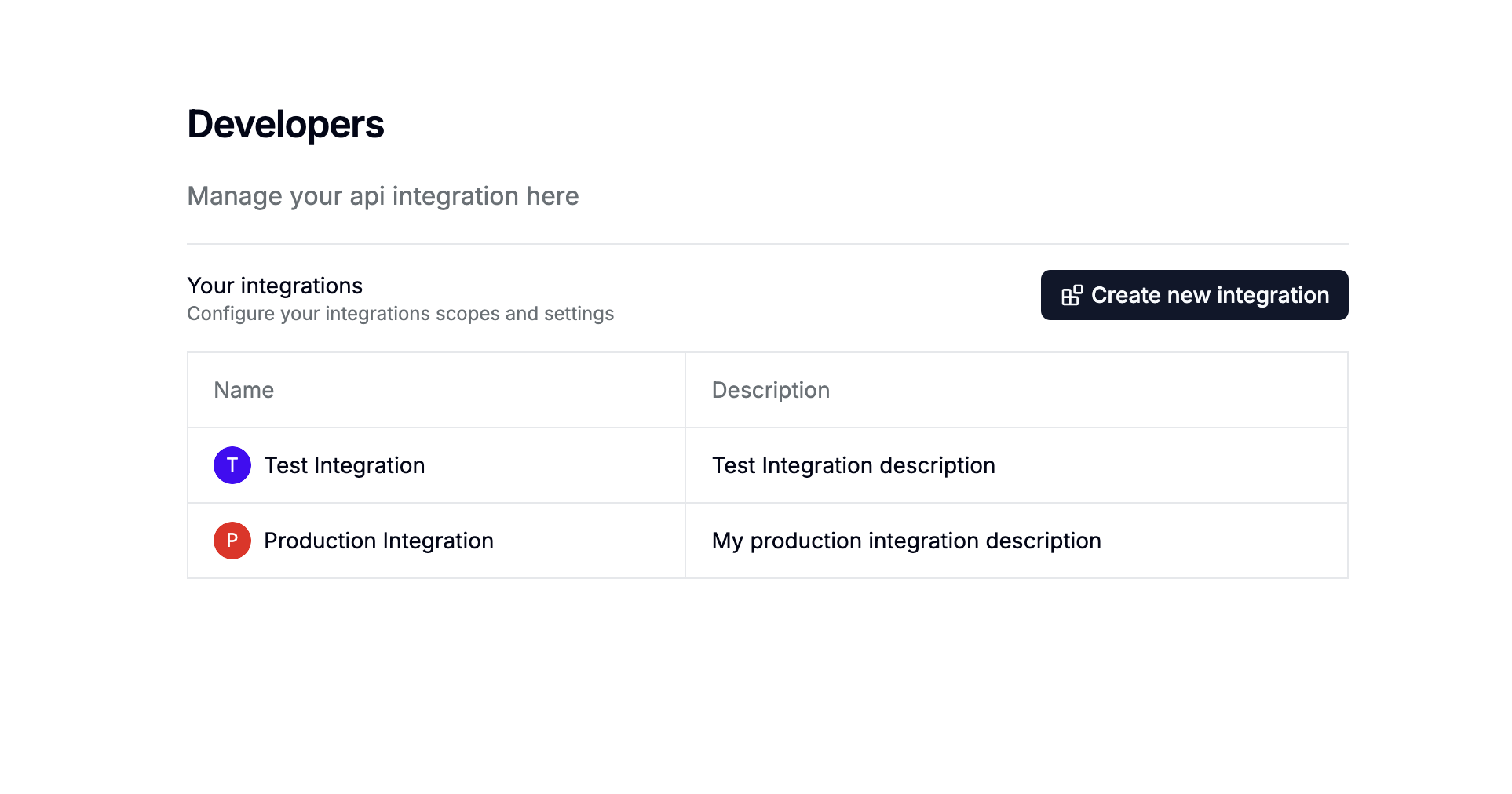
You can create as many API integrations as you need, each with its own API token.
 ## How to create an API Integration
You can create an API key by following these steps:
Go to **Settings** > **Developers** in your dashboard.
Click on the "Create new integration" button
## How to create an API Integration
You can create an API key by following these steps:
Go to **Settings** > **Developers** in your dashboard.
Click on the "Create new integration" button
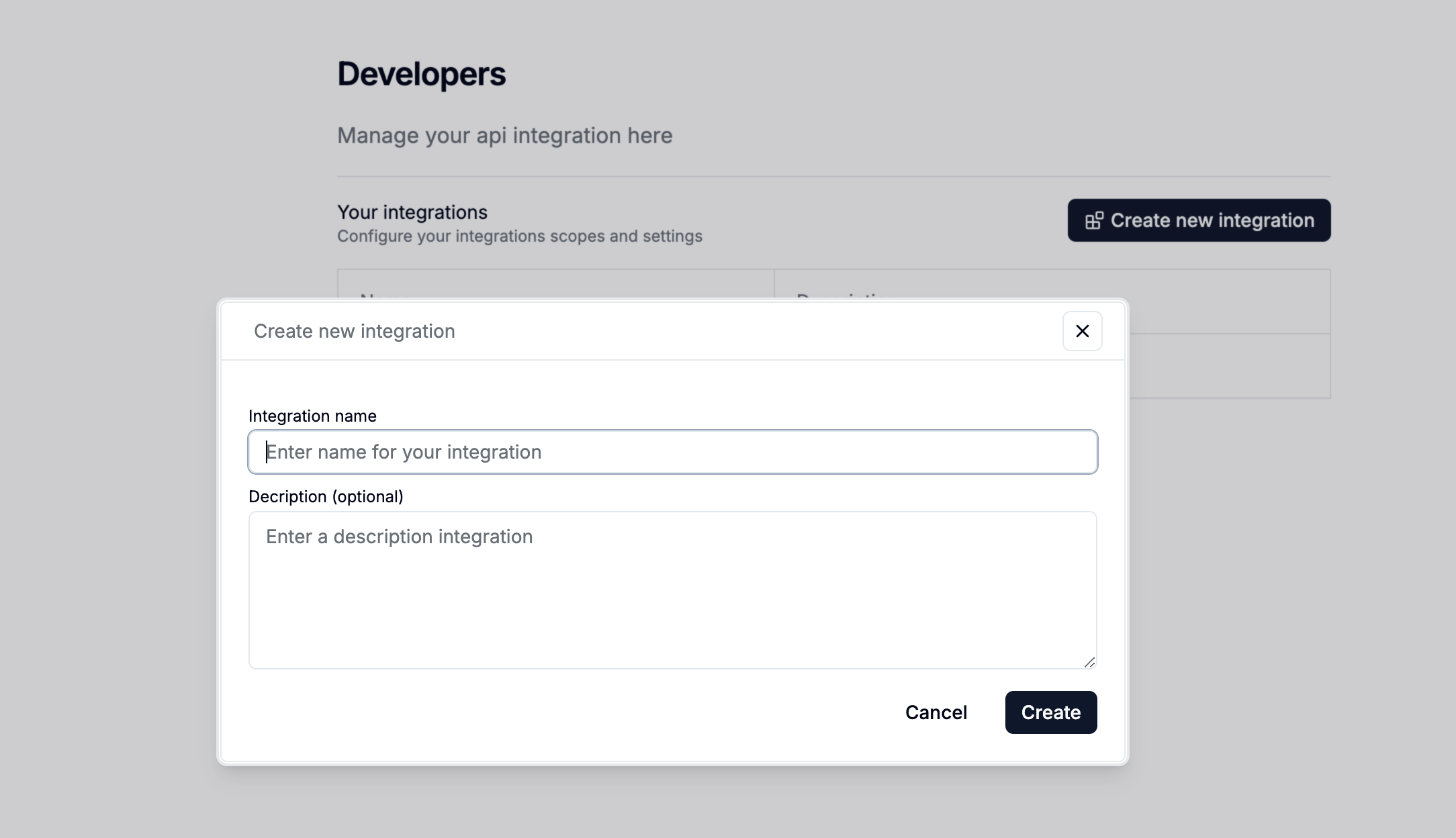 Now that you have your API key, you can use it to access your dashboard's resources programmatically within API request in the API reference as a bearer token.
```
Authorization: Bearer cuuro_xxxx
```
We recommend creating separate API Integrations for different integrations to keep your data secure.
Now that you have your API key, you can use it to access your dashboard's resources programmatically within API request in the API reference as a bearer token.
```
Authorization: Bearer cuuro_xxxx
```
We recommend creating separate API Integrations for different integrations to keep your data secure.