> ## Documentation Index
> Fetch the complete documentation index at: https://docs.cuuro.ai/llms.txt
> Use this file to discover all available pages before exploring further.
# Webhooks
> Learn how to set up your Cuuro.ai API Webhook.
A webhook is an event-driven method of communication between applications.
Unlike typical APIs where you would need to poll for data very frequently to get it "real-time",
webhooks only send data when there is an event to trigger the webhook.
This makes webhooks seem "real-time", but it's important to note that they are asynchronous.
In this guide, we’ll show you how to configure webhooks for your Cuuro workspace and a list of available events you can listen to.
## Cuuro webhooks
Cuuro webhooks allow you to receive event notifications from Cuuro, such as when an analysis is created or completed. When an event occurs,
Cuuro will send an HTTP POST request to your webhook endpoint configured for the event type.
The payload carries a JSON object. You can then use the information from the request's
JSON payload to trigger actions in your app, such as sending a notification or updating a database.
Cuuro uses [Svix](https://svix.com) to send our webhooks.
## Creating a webhook
To create a webhook for your Integration, you'll need to follow these steps:
Navigate to the [**Settings** > **Developers** page](https://investor.cuuro.ai/settings/developers) in your Cuuro dashboard.
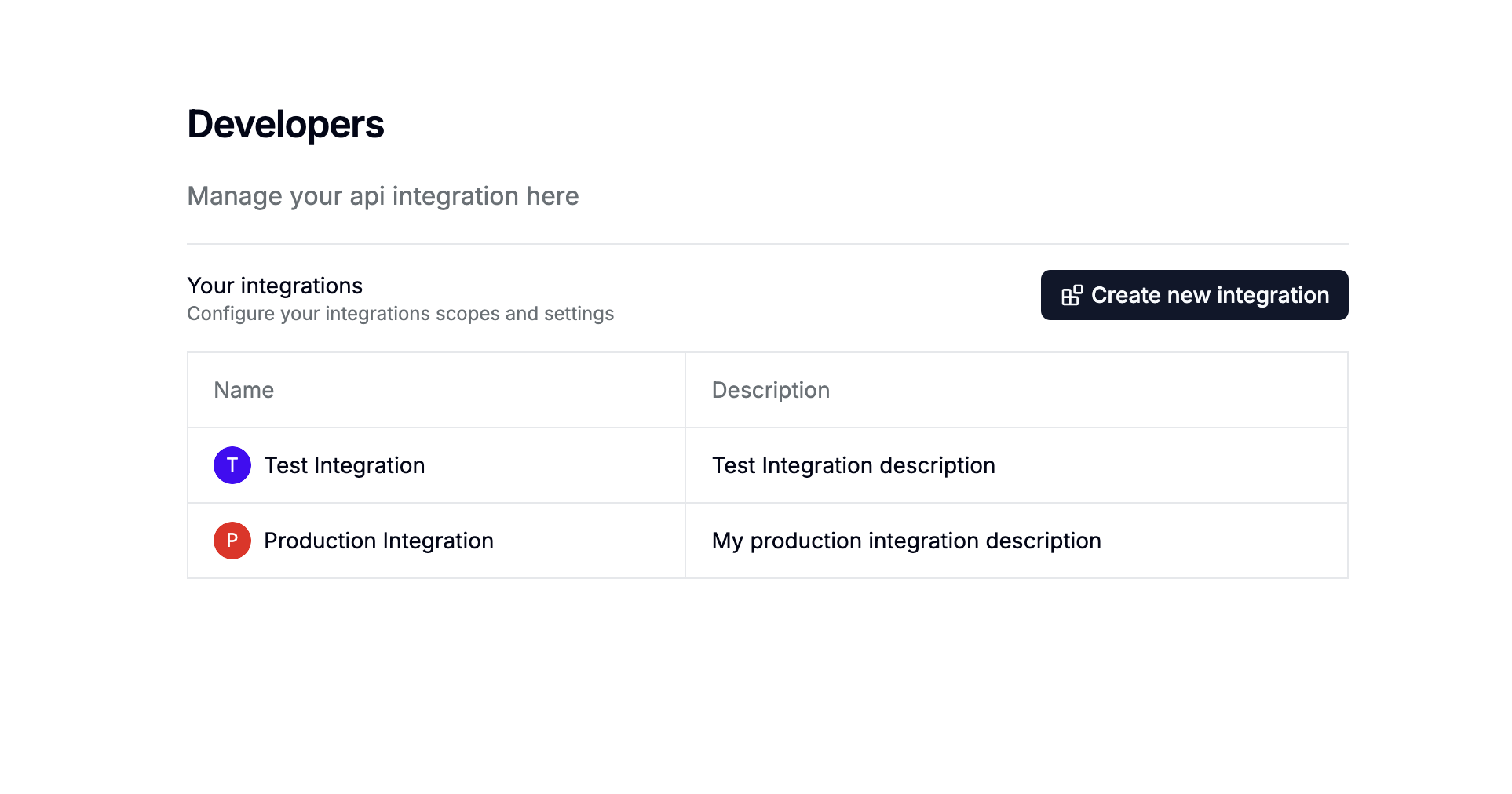 Click on an api integration to open the details page, and then click on the **Webhooks** tab.
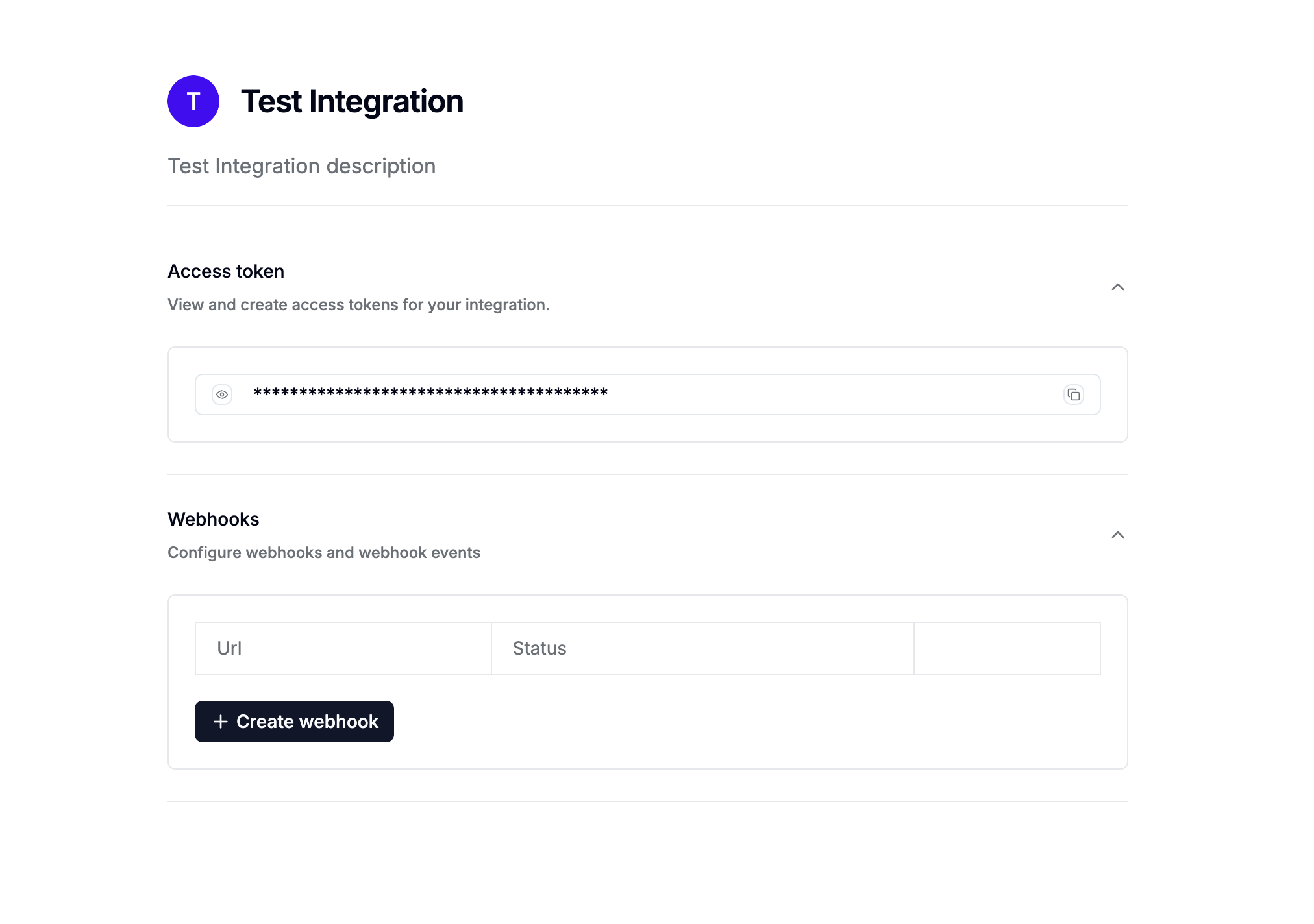 Click on the **Create Webhook** button.
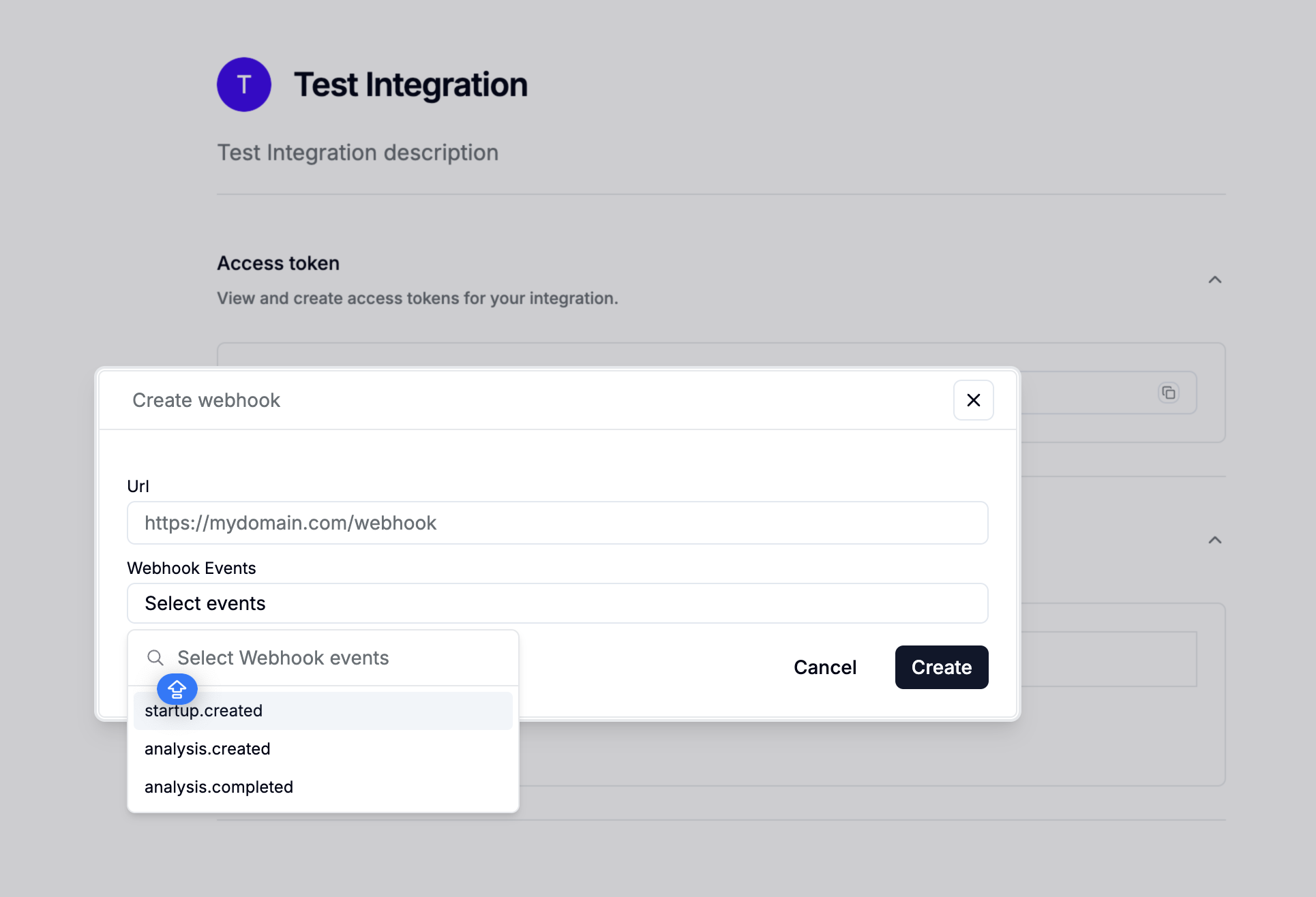 Fill in the required fields in the webhook creation form:
1. **URL**: Enter the URL of the endpoint where you want to send the webhook. We recommend using [webhook.site](https://webhook.site/) to test your webhook.
2. **Events**: Select the events you want to listen to. You can select multiple events.
Finally, click on **Create** to create the webhook.
### Integration Events
This event is triggered when a [new target company is created](/api-reference/target-companies/post-target-companies). The event payload contains the created company's id.
Here's an example payload:
```json startup.created theme={null}
{
"data": {
"id": "0191e29a-1644-7972-9466-18ada4a3636e"
},
"event": "startup.created"
}
```
This event is triggered when a [new analysis is created](/api-reference/analysis/post-analysis). The event payload contains the analysis id.
Here's an example payload:
```json analysis.created theme={null}
{
"data": {
"id": "0191e29a-1644-7972-9466-18ada4a3636e"
},
"event": "analysis.created"
}
```
This event is triggered when a new analysis is completed. The event payload contains the analysis id.
Here's an example payload:
```json analysis.completed theme={null}
{
"data": {
"id": "0191e29a-1644-7972-9466-18ada4a3636e"
},
"event": "analysis.completed"
}
```
## Signature Verification
To ensure that the API route receiving the webhook can only be hit by your app, there are a few protections you can put in place:
* **Verify the request signature**: Svix webhook requests are [signed](https://www.wikiwand.com/en/Digital_signature) and can be verified to ensure the request is not malicious. To learn more, check out Svix's guide on [how to verify webhooks with the svix libraries](https://docs.svix.com/receiving/verifying-payloads/how) or [how to verify webhooks manually](https://docs.svix.com/receiving/verifying-payloads/how-manual).
* **Only accept requests coming from [Svix's webhook IPs](https://docs.svix.com/webhook-ips.json)**: To further prevent attackers from flooding your servers or wasting your compute, you can ensure that your webhook-receiving api routes only accept requests coming from [Svix's webhook IPs](https://docs.svix.com/webhook-ips.json), rejecting all other requests.
Fill in the required fields in the webhook creation form:
1. **URL**: Enter the URL of the endpoint where you want to send the webhook. We recommend using [webhook.site](https://webhook.site/) to test your webhook.
2. **Events**: Select the events you want to listen to. You can select multiple events.
Finally, click on **Create** to create the webhook.
### Integration Events
This event is triggered when a [new target company is created](/api-reference/target-companies/post-target-companies). The event payload contains the created company's id.
Here's an example payload:
```json startup.created theme={null}
{
"data": {
"id": "0191e29a-1644-7972-9466-18ada4a3636e"
},
"event": "startup.created"
}
```
This event is triggered when a [new analysis is created](/api-reference/analysis/post-analysis). The event payload contains the analysis id.
Here's an example payload:
```json analysis.created theme={null}
{
"data": {
"id": "0191e29a-1644-7972-9466-18ada4a3636e"
},
"event": "analysis.created"
}
```
This event is triggered when a new analysis is completed. The event payload contains the analysis id.
Here's an example payload:
```json analysis.completed theme={null}
{
"data": {
"id": "0191e29a-1644-7972-9466-18ada4a3636e"
},
"event": "analysis.completed"
}
```
## Signature Verification
To ensure that the API route receiving the webhook can only be hit by your app, there are a few protections you can put in place:
* **Verify the request signature**: Svix webhook requests are [signed](https://www.wikiwand.com/en/Digital_signature) and can be verified to ensure the request is not malicious. To learn more, check out Svix's guide on [how to verify webhooks with the svix libraries](https://docs.svix.com/receiving/verifying-payloads/how) or [how to verify webhooks manually](https://docs.svix.com/receiving/verifying-payloads/how-manual).
* **Only accept requests coming from [Svix's webhook IPs](https://docs.svix.com/webhook-ips.json)**: To further prevent attackers from flooding your servers or wasting your compute, you can ensure that your webhook-receiving api routes only accept requests coming from [Svix's webhook IPs](https://docs.svix.com/webhook-ips.json), rejecting all other requests.